

渗透测试MCP
项目介绍
🛡️ Pentest-MCP
一款面向AI代理的生产级渗透测试工具包
Pentest-MCP 是一个强大的企业级框架,通过 REST API 和 Model Context Protocol (MCP) 将渗透测试工具暴露给大型语言模型(LLMs)。该框架采用 Docker 容器化、智能缓存和全面的安全策略构建,使AI代理能够安全高效地执行自动化安全评估。


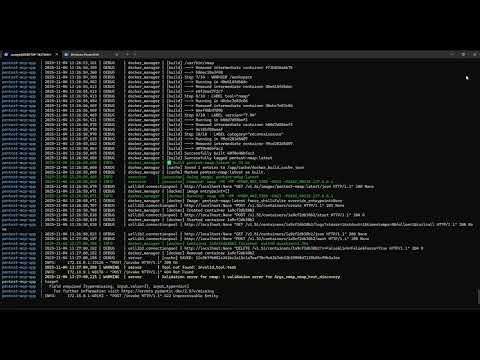
▶️ 演示
🌟 特性
🎯 双协议支持
- REST API: 传统的HTTP端点,确保最大兼容性
- MCP原生: 对Claude Desktop、Cline和其他MCP客户端的一级支持
- 统一核心: 单一代码库驱动两个接口
🔒 企业级安全
- 策略引擎: 网络限制、速率限制和授权控制
- API密钥认证: 所有端点的安全访问控制
- 网络隔离: 默认仅允许私有RFC 1918网络
- 审计日志: 完整的执行历史记录,使用JSON日志
🐳 Docker架构
- 隔离执行: 每个工具都在专用的Kali Linux容器中运行
- 自动构建: 智能镜像缓存和依赖管理
- 共享资源: 共同的字典列表和结果卷
- 网络访问: 控制主机网络模式用于扫描
🧠 AI优化设计
- 丰富的描述: 每个工具都包含上下文、示例和使用提示
- 结构化输出: 工具输出的自动解析(如nmap、gobuster等)
- 输入验证: 使用Pydantic模型确保类型安全
- 智能缓存: 结果缓存1小时以减少冗余扫描
🛠️ 包含的工具
- nmap: 网络发现和漏洞扫描
- gobuster: 网页内容和虚拟主机枚举
- enum4linux: SMB/活动目录枚举
- crackmapexec: 后渗透和横向移动测试
📋 目录
🚀 快速开始
前提条件
- Docker & Docker Compose
- Python 3.11+
- Make(通常在Linux/macOS上预装)
- 推荐内存4GB+
安装(使用Makefile - 推荐)
# 克隆仓库
git clone https://github.com/sasaga/PentestMCP.git
cd pentest-mcp

# 查看所有可用命令
make help

# 一键完成设置
make setup              # 创建所需目录
cp .env.example .env    # 复制环境模板
nano .env               # 配置您的API_KEY

# 构建所有Docker镜像
make build-all          # 构建基础镜像+所有工具镜像

# 启动服务
make up                 # 启动REST API + MCP Server

# 验证安装
make test               # 运行系统测试
替代方案:手动安装
# 设置环境
cp .env.example .env
nano .env

# 构建镜像
./build_images.sh

# 启动服务
docker-compose up -d

# 验证
curl http://localhost:8085/health
第一次扫描
# 列出可用工具
curl http://localhost:8085/tools | jq

# 运行nmap扫描
curl -X POST http://localhost:8085/invoke \
  -H "Content-Type: application/json" \
  -H "x-api-key: YOUR_API_KEY" \
  -d '{
    "name": "nmap",
    "mode": "nmap_host_discovery",
    "args": {"target": "192.168.1.0/24"}
  }' | jq
🎯 Makefile命令参考
Makefile是此项目的中央管理工具。关键命令:
| 命令 | 描述 |
|---|---|
make help | 显示此帮助信息 |
make setup | 创建所需的目录(例如,wordlists和results) |
make build-base | 构建基础Kali Linux镜像 |
make build-app | 构建主应用程序镜像(FastAPI / MCP) |
make build-<tool> | 构建特定工具(例如,make build-nmap) |
make build-tools | 构建YAML文件定义的所有工具镜像 |
make build-all | 构建所有镜像(基础+应用+工具) |
make check-images | 验证哪些Docker镜像是已构建的 |
make list-images | 列出所有Pentest-MCP Docker镜像 |
make clean-images | 删除所有Pentest-MCP Docker镜像 |
make clean-containers | 删除所有Pentest-MCP容器 |
make clean | 执行完全清理(容器+镜像) |
make up | 使用Docker Compose启动所有服务 |
make down | 停止所有正在运行的服务 |
make logs | 查看所有正在运行服务的日志 |
make restart | 重启服务(如果检测到更改,则重新构建应用) |
make test | 运行完整的系统测试(使用.env配置) |
make test-api | 执行快速REST API健康检查 |
make validate-yaml | 验证所有YAML配置文件的语法 |
make fix-yaml-paths | 修复或规范化YAML文件中的Docker路径 |
make show-docker-config | 显示在YAML中检测到的Docker配置 |
make dev | 在开发模式下启动系统 |
make dev-mcp | 以独立模式运行MCP服务器 |
make info | 显示详细的系统和环境信息 |
参见下面的完整Makefile文档。
🏗️ 架构
┌─────────────────────────────────────────────────────────────┐
│                        客户端层                          │
│  Claude Desktop │ Cline │ HTTP客户端 │ 自定义集成│
└────────────┬────────────────────────────────────────────────┘
             │
    ┌────────┴─────────┐
    │                  │
┌───▼────┐      ┌─────▼──────┐
│ MCP    │      │  REST API  │
│ 服务器 │      │  (FastAPI) │
│ :8090  │      │   :8085    │
└───┬────┘      └─────┬──────┘
    │                 │
    └────────┬────────┘
             │
    ┌────────▼─────────┐
    │   核心引擎    │
    │  ┌────────────┐  │
    │  │  加载器    │  │  YAML → Pydantic模型
    │  ├────────────┤  │
    │  │  策略    │  │  安全验证
    │  ├────────────┤  │
    │  │  执行器  │  │  Docker管理
    │  ├────────────┤  │
    │  │  解析器    │  │  输出结构化
    │  └────────────┘  │
    └──────────────────┘
             │
    ┌────────▼─────────┐
    │ Docker管理   │
    │  - 镜像构建   │
    │  - 容器运行 │
    │  - 卷挂载  │
    └────────┬─────────┘
             │
    ┌────────▼─────────┐
    │  工具容器 │
    │  ┌──────────┐    │
    │  │  nmap    │    │
    │  ├──────────┤    │
    │  │ gobuster │    │
    │  ├──────────┤    │
    │  │enum4linux│    │
    │  ├──────────┤    │
    │  │   cme    │    │
    │  └──────────┘    │
    └──────────────────┘
关键组件
-
服务器层 (
server.py,mcp_server.py)- 双协议支持(REST + MCP)
- 请求验证和路由
- 认证和速率限制
-
核心引擎 (
core/)- 加载器: 将YAML工具定义转换为Pydantic模型
- 策略: 强制执行网络限制和安全规则
- 执行器: 管理Docker容器和命令执行
- 解析器: 从工具输出中提取结构化数据
-
Docker管理 (
docker_manager.py)- 自动镜像构建并缓存
- 瞬态容器生命周期
- 字典列表和结果卷管理
-
工具定义 (
tools/*.yaml)- 声明式工具配置
- 生成AI代理的模式
- 示例和使用提示
📦 安装
方案1:使用Makefile快速安装(推荐)
# 克隆并进入目录
git clone https://github.com/sasaga/PentestMCP.git
cd pentest-mcp

# 查看所有可用命令
make help

# 设置目录
make setup

# 配置环境
cp .env.example .env
nano .env  # 设置您的API_KEY

# 构建一切
make build-all

# 启动服务
make up

# 验证安装
make test
方案2:Docker Compose(手动)
# 克隆并配置
git clone https://github.com/sasaga/PentestMCP.git
cd pentest-mcp
cp .env.example .env

# 编辑配置
nano .env

# 构建并启动
docker-compose up -d

# 查看日志
docker-compose logs -f
方案3:手动设置(开发)
# 安装Python依赖
pip install -r requirements.txt

# 构建Docker镜像
./build_images.sh

# 下载字典列表(可选)
mkdir -p wordlists
cd wordlists
wget https://github.com/danielmiessler/SecLists/raw/master/Discovery/Web-Content/common.txt

# 启动服务
uvicorn server:app --host  0.0.0.0 --port 8085 &
python mcp_server.py &
💡 提示: 使用make help随时查看所有可用命令。
⚙️ 配置
环境变量
创建一个.env文件:
# 安全
API_KEY=your-secret-api-key-here

# 服务器端口
REST_PORT=8085
MCP_PORT=8090
MCP_PROXY_PORT=8091

# 路径
TOOLS_DIR=/app/tools
WORDLISTS_DIR=/app/wordlists
RESULTS_DIR=/app/results

# Docker
KALI_IMAGE=pentest-kali-base

# 缓存
ENABLE_CACHE=true
CACHE_TTL_HOURS=1

# 日志
LOG_LEVEL=INFO
网络策略
编辑tools/*.yaml以配置允许的网络:
policy:
  allowed_networks:
    - "10.0.0.0/8"
    - "172.16.0.0/12"
    - "192.168.0.0/16"
  max_hosts: 4096
  blocked_ports: []
🎮 使用
REST API
列出可用工具
curl http://localhost:8085/tools | jq
执行工具
curl -X POST http://localhost:8085/invoke \
  -H "Content-Type: application/json" \
  -H "x-api-key: YOUR_API_KEY" \
  -d '{
    "name": "nmap",
    "mode": "nmap_tcp_ports_syn_scan",
    "args": {
      "target": "192.168.1.100"
    }
  }' | jq
列出字典列表
curl http://localhost:8085/wordlists | jq
检查健康状态
curl http://localhost:8085/health | jq
MCP集成
Claude Desktop
添加到~/Library/Application Support/Claude/claude_desktop_config.json:
{
  "mcpServers": {
    "PentestMCP": {
      "command": "python3",
      "args": ["/path/to/pentest-mcp/mcp_wrapper.py"],
      "env": {
        "MCP_SERVER_URL": "http://127.0.0.1:8091/mcp",
        "API_KEY": "your-api-key-here"
      }
    }
  }
}
Cline (VSCode扩展)
添加到.vscode/settings.json:
{
  "cline.mcpServers": {
    "PentestMCP": {
      "type": "http",
      "url": "http://127.0.0.1:8091/mcp",
      "headers": {
        "x-api-key": "your-api-key-here"
      }
    }
  }
}
5ire客户端MCP
{
  "name": "PentestMCP",
  "key": "PentestMCP",
  "url": "http://127.0.0.1:8091/mcp",
  "headers": {
    "x-api-key": "your-api-key-here"
  },
  "approvalPolicy": "always"
}
Warp MCP配置
{
  "PentestMCP": {
    "command": "python3",
    "args": [
      "/path/mcp_wrapper.py"
    ],
    "env": {
      "API_KEY": "your-api-key-here",
      "MCP_SERVER_URL": "http://127.0.0.1:8091/mcp"
    },
    "working_directory": null
  }
}
Cursor MCP配置
{
  "mcpServers": {
    "PentestMCP": {
      "type": "http",
      "url": "http://127.0.0.1:8091/mcp",
      "headers": {
        "x-api-key": "your-api-key-here"
      }
    }
  }
}
直接MCP客户端
# HTTP传输
TRANSPORT=http python mcp_server.py

# stdio传输(直接集成)
TRANSPORT=stdio python mcp_server.py
🛠️ Makefile - 完整参考
Makefile是Pentest-MCP的中央管理界面。它提供了一种统一且用户友好的方式来构建、测试、部署和管理系统。
设计理念
Makefile是动态的和自我发现的:
- 自动检测来自YAML定义的工具
- 不硬编码工具名称
- 动态生成目标
- 使用彩色输出以改善用户体验
核心命令
设置与安装
# 创建所需目录(字典列表、结果)
make setup

# 显示系统信息
make info
Docker镜像管理
# 构建所有内容(首次设置推荐)
make build-all          # 构建基础+所有工具镜像

# 仅构建基础镜像
make build-base         # Kali Linux基础

# 构建特定工具
make build-nmap         # 仅nmap
make build-gobuster     # 仅gobuster
make build-enum4linux   # 仅enum4linux
make build-crackmapexec # 仅crackmapexec

# 验证什么已经构建
make check-images       # 显示每个镜像的✅/❌

# 列出所有pentest镜像
make list-images
服务管理
# 启动所有服务(REST API + MCP Server)
make up

# 停止服务
make down

# 重启服务(代码更改后有用)
make restart

# 查看实时日志
make logs
测试与验证