

模型上下文协议
项目介绍
Chargebee 模型上下文协议(MCP)服务器


⚠️ 停用通知
此包已停用,将不再接收更新或支持。请迁移到我们的新知识库 MCP 服务器,它提供了增强的功能和改进的准确性。 了解更多并升级:Chargebee MCP 服务器文档
模型上下文协议(MCP)是一种标准化协议,旨在管理大型语言模型(LLMs)与外部系统之间的上下文。
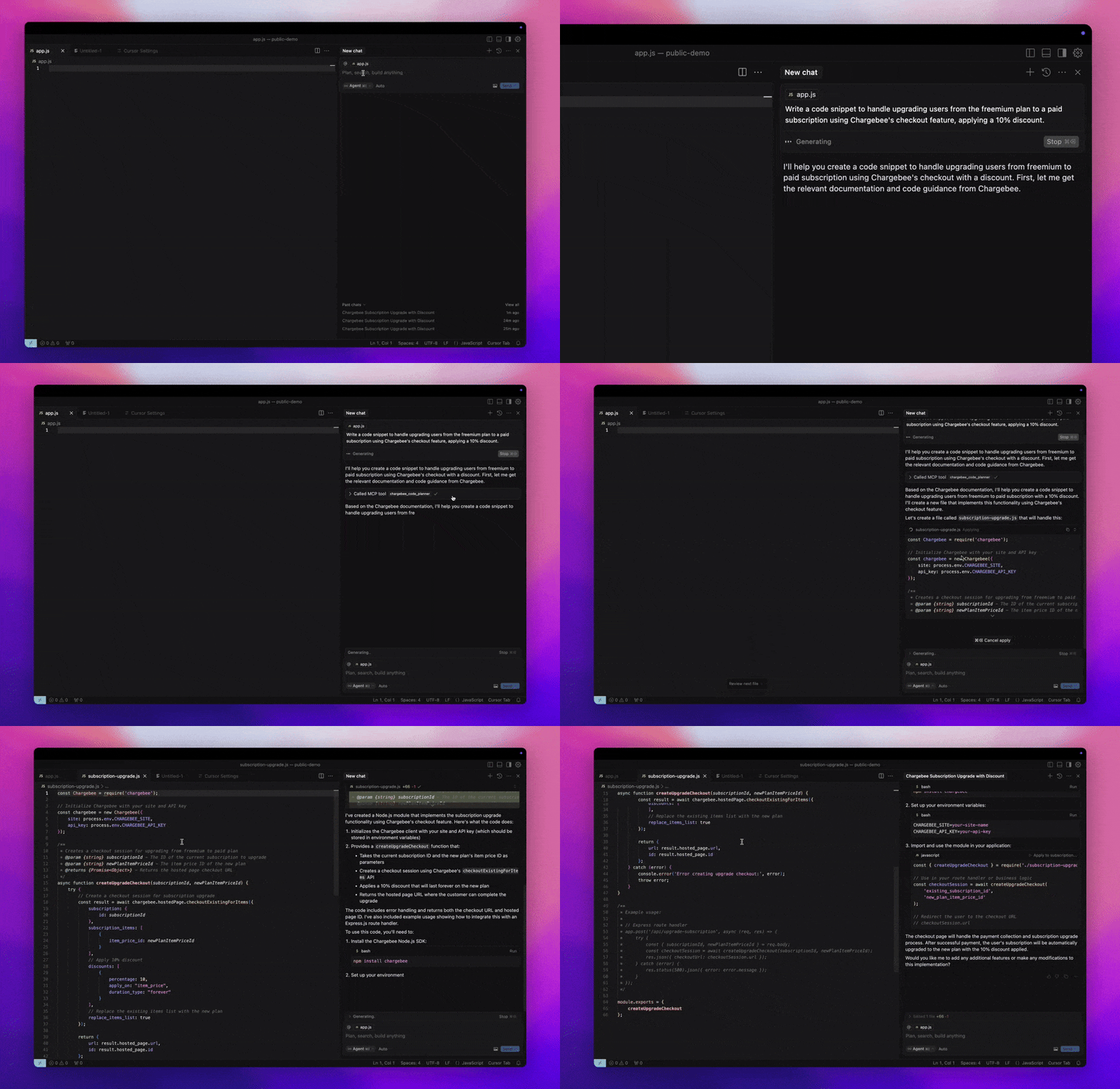
Chargebee MCP 服务器提供了一套强大的工具以提高开发者的效率。它与AI驱动的代码编辑器如Cursor、Windsurf 和 Cline以及通用工具如Claude Desktop集成,并且兼容任何MCP客户端。
使用此MCP服务器,您可以:
-
立即获取关于Chargebee产品和API服务的信息。
-
接收针对您的集成需求定制的上下文感知代码片段。
-
访问Chargebee的知识库,包括:
- 文档
- 常见问题解答
- 发布说明
- 更多内容
预备条件
- Node.js LTS - Chargebee MCP服务器需要Node.js LTS版本才能正确运行。
设置
要使用Node.js npx运行Chargebee MCP服务器,请执行以下命令:
npx -y @chargebee/mcp@latest
可用工具
| 工具 | 描述 |
|---|---|
chargebee_documentation_search | 搜索Chargebee的文档以检索详细信息和使用指南。 |
chargebee_code_planner | 生成结构化的代码大纲和样本代码,用于集成Chargebee的API和功能。 |
安装
Cursor
要在Cursor IDE中添加此服务器:
- 导航到
Cursor 设置>MCP。 - 点击
+ 添加新的全局MCP服务器。 - 将以下配置添加到您的全局
.cursor/mcp.json文件中:
{
  "mcpServers": {
    "chargebee": {
      "command": "npx",
      "args": [
          "-y",
          "@chargebee/mcp"
      ]
    }
  }
}
参阅Curosr文档以获取更多详情。注意:您也可以将其添加到项目特定的Cursor配置中(支持于Cursor 0.46+)。
Windsurf
要设置MCP与Cascade:
- 打开Windsurf并导航至
设置>高级设置或使用命令面板 >打开Windsurf设置页面。 - 滚动到Cascade部分以添加新服务器,查看现有服务器或访问位于
mcp_config.json的原始JSON配置文件。 - 点击“添加自定义服务器 +”以在
mcp_config.json中直接包含Chargebee MCP服务器:
{
  "mcpServers": {
    "chargebee": {
      "command": "npx",
      "args": [
          "-y",
          "@chargebee/mcp"
      ]
    }
  }
}
参阅Windsurf文档以获取更多信息。
VS Code
使用以下按钮之一在VS Code中安装Chargebee MCP服务器:
或者,您可以使用VS Code CLI安装Chargebee MCP服务器:
# 对于VS Code
code --add-mcp '{"name":"chargebee","command":"npx","args":["-y","@chargebee/mcp"]}'
# 对于VS Code Insiders
code-insiders --add-mcp '{"name":"chargebee","command":"npx","args":["-y","@chargebee/mcp"]}'
安装后,Chargebee MCP服务器将在VS Code中与您的GitHub Copilot代理一起使用。
Claude
将以下配置添加到您的claude_desktop_config.json文件中。参阅Claude Desktop文档以获取更多详情:
{
  "mcpServers": {
    "chargebee": {
      "command": "npx",
      "args": [
          "-y",
          "@chargebee/mcp"
      ]
    }
  }
}
Cline
通过Cline MCP服务器设置手动将以下JSON添加到您的cline_mcp_settings.json文件中:
{
  "mcpServers": {
    "chargebee": {
      "command": "npx",
      "args": [
          "-y",
          "@chargebee/mcp"
      ]
    }
  }
}
Roo Code
通过选择Roo Code设置中的编辑MCP设置或使用VS Code命令面板中的Roo Code: 打开MCP配置命令来访问MCP设置:
{
  "mcpServers": {
    "chargebee": {
      "command": "npx",
      "args": [
          "-y",
          "@chargebee/mcp"
      ]
    }
  }
}
贡献
要为此项目做出贡献,请参阅贡献指南。